
Run the studio from a chat
Bookings, schedule, reports, listing websites and marketing kits, from whichever assistant you already use on your phone or laptop.
FrameOS connects to Claude, ChatGPT, Grok and Grok Bots. Your assistant can look things up and take action: booking shoots, checking your money, and keeping listing websites and marketing kits current. Your clients can connect theirs too.
Each connected assistant works with the same data you see in FrameOS. Ask in plain language and it handles the clicks.
"Book Elena's listing on Maple Ave for Thursday morning with the Core package." Done, priced and on the calendar.
Checks every photographer's schedule and the drive between shoots before it answers.
Revenue, what's been collected, what's outstanding, expenses and profit for any period.
Listing websites can refresh automatically each day, so status and details stay current without you.
Update copy, open house details and assets in an agent's marketing kit on request.
Who booked, how often, what they spend and what's coming up next for them.
Agents connect their own assistant from their FrameOS profile. When they ask it to book a photographer, it books you, using your packages, your prices and your open times.
Bookings, schedule, reports, listing websites and marketing kits, from whichever assistant you already use on your phone or laptop.
An agent says "get the photographer to 22 Oak St on Friday" to their assistant, and the order lands in your FrameOS with the right package and price.
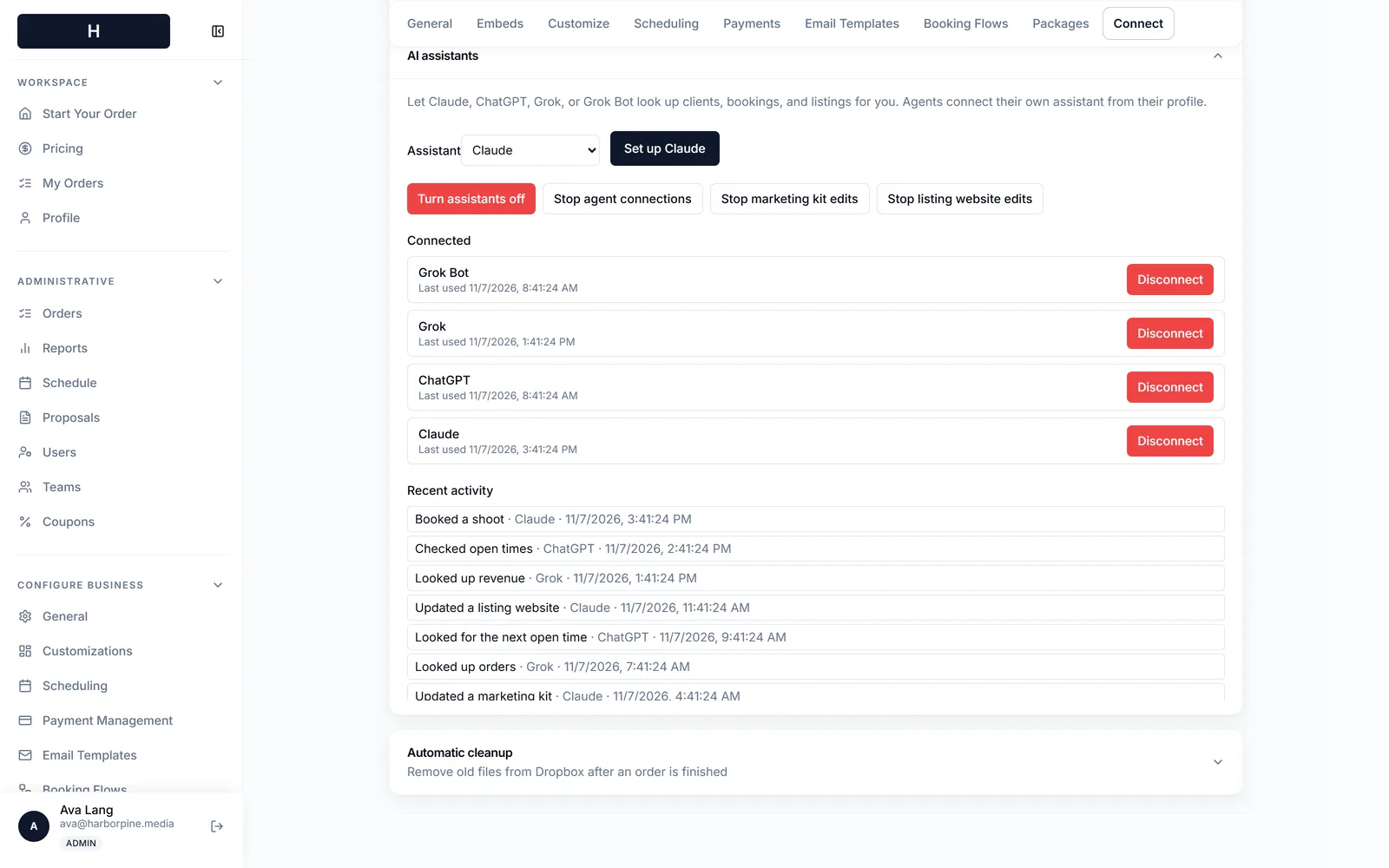
Choose which assistants are connected and disconnect any of them in one click. Turn all assistants off, stop agent connections, or stop AI edits to marketing kits or listing websites separately.
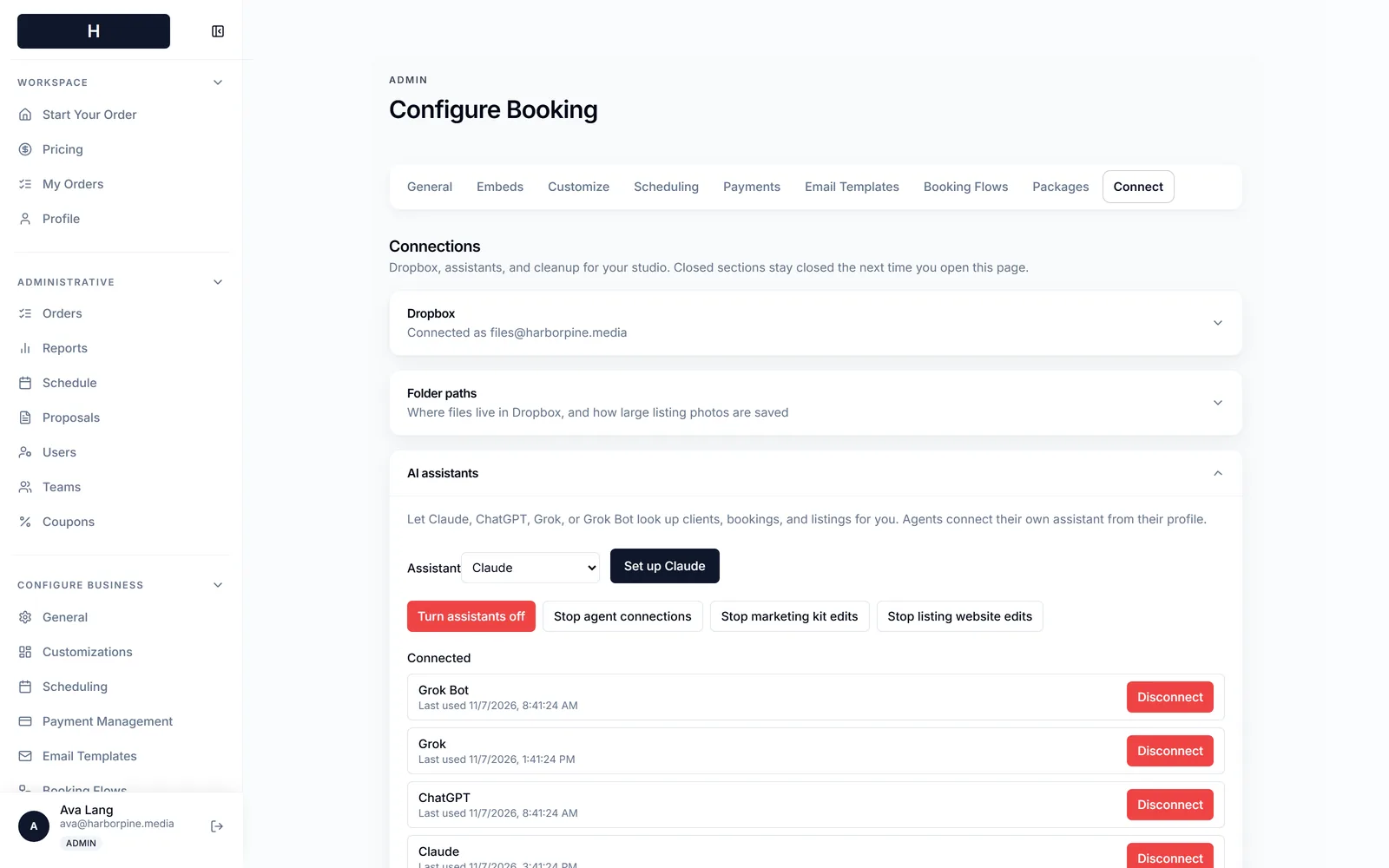
Every action is logged with the assistant and the time: booked a shoot, checked open times, looked up revenue, updated a listing website. Nothing happens out of sight.
Early access studios get help connecting Claude, ChatGPT or Grok on day one.